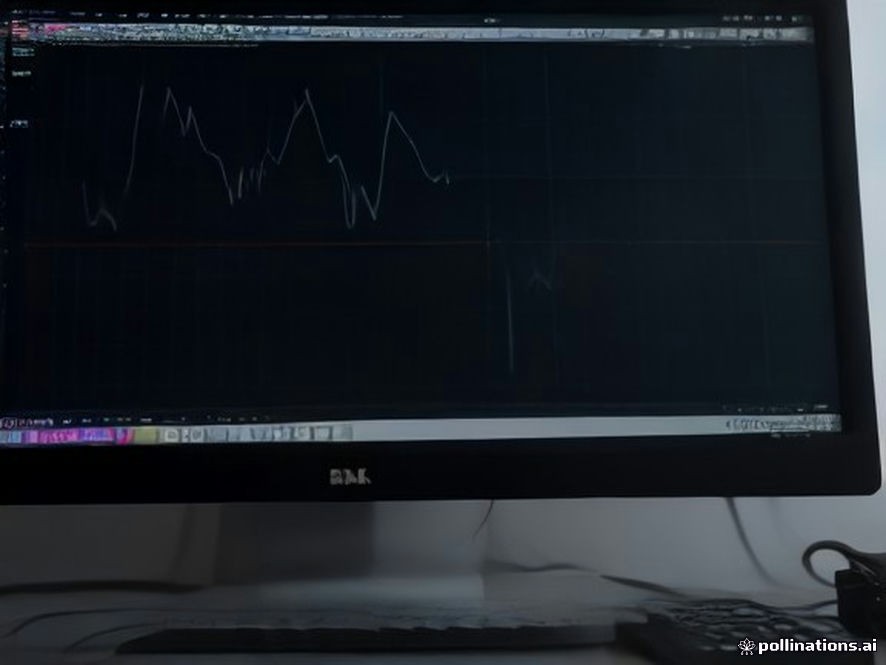
Imagine this: Your quad has a weird twitch on punch-outs. You’ve swapped props, tightened every screw, and re-flashed firmware. Nothing helps. Then you open the blackbox log and see it in ten seconds—a clean spike on the gyro that lines up perfectly with your throttle input. The problem was never mechanical. It was a PID setting you couldn’t feel but the log could show you.
TL;DR: Betaflight blackbox logs record everything your flight controller sees and does—gyro, PID outputs, motor commands, and stick inputs. Pull the log, open it in Blackbox Explorer, and start with the gyro trace. Look for noise, oscillation, or motor saturation. One log tells you more than a hundred forum guesses.
Key Takeaways:
- The gyro trace is ground truth. Everything else is compared against it .
- Pull logs after every session. Flash memory overwrites old flights when full .
- Enable
GYRO_SCALEDdebug mode to see raw gyro data, not just what survived the filters . - Look for patterns, not single spikes. High-frequency noise, specific-frequency oscillation, and motor saturation each have distinct signatures.
- Change one thing at a time. Tune, fly, compare logs. Random slider dragging wastes packs and patience .
What the Blackbox Actually Records
Your flight controller is making thousands of decisions per second. The blackbox saves them all.
On a typical Betaflight build, logging runs at 1–4 kHz. That’s 1,000 to 4,000 data points every second for every field . Modern F4/F7 boards can log even faster.
The critical traces you’ll actually use:
| Trace | What It Tells You |
|---|---|
| Gyro (roll/pitch/yaw) | How the quad actually rotated. Ground truth |
| Setpoint | What the FC wanted the rotation to be |
| PID outputs (P/I/D) | How hard the controller is working to close the gap |
| Motor outputs | What commands reached the ESCs (0–100%) |
| RC Command | Your stick inputs—the original request |
Here’s the fun part: you don’t need to understand every field. Three traces—gyro, setpoint, and motor—solve 90% of flight problems.
Pulling the Log (Don’t Skip This Step)
Before you can read a log, you need to get it off the flight controller.
Via Betaflight Configurator:
- Connect USB (props off, battery disconnected).
- Go to the Blackbox tab.
- Click Activate Mass Storage Device—your FC appears as a USB drive .
- Open the LOGS folder and copy the
.bblor.bflfile.
Critical habit: Pull your logs after every tuning session. Flash memory is limited—typically 8–32 MB. When it fills, new flights overwrite the oldest ones . The log you need might already be gone if you waited too long.
The Gyro Trace Is Everything
Open your log in Betaflight Blackbox Explorer (or a web-based alternative). The first graph to isolate is the gyro for one axis—start with roll.
A clean gyro trace looks like smooth curves that follow your stick inputs. Push right, the trace steps up cleanly. Release, it returns to zero. There’s a thin fuzz of minor noise, but no patterns .
A problematic gyro trace has something layered on top of the clean curve. The question is: what kind of something?
Pattern 1: Fuzz That Gets Worse With Throttle
What it looks like: High-frequency noise on all axes. It gets thicker as you increase throttle .
What it means: Mechanical vibration from motors or props is reaching the flight controller. Motors are the only components whose vibration scales directly with throttle.
What to check:
- Prop balance (most common culprit)
- Motor bearings (spin by hand, listen for grinding)
- FC soft mount (is the gummy material still intact?)
- Frame arm bolts (loose arms amplify vibration)
Fix the biggest source first. Usually, that’s props.
Pattern 2: Regular Waves at a Specific Frequency
What it looks like: A sine wave overlaid on the gyro. The frequency stays constant regardless of stick input .
What it means: Resonance. Something on the frame has a natural frequency that the motors are exciting. The filters aren’t catching it.
How to find it: Switch to the spectrum analyzer view in Blackbox Explorer. Look for a spike at a specific frequency:
- 80–150 Hz: Frame flex (arms or standoffs)
- 150–300 Hz: Prop/motor mechanical resonance
- 300–600 Hz: Gyro noise floor (filter issue, not mechanical)
If the dynamic notch filter is enabled, check whether it’s tracking that frequency. If not, adjust the notch range.
Pattern 3: D-Term Noise (Especially on Yaw)
What it looks like: The gyro looks okay—not perfect, but not terrible. But the D-term trace is spiky and jagged .
What it means: The derivative term amplifies high-frequency noise by design. Even small gyro noise becomes large motor corrections. Yaw is usually worst because yaw D-term has less filtering .
The fix: Lower D-term gain on the affected axis. Try a 20% reduction and re-test .
Beyond the Gyro: Three More Problems You Can See
Motor Saturation
What it looks like: One or more motor traces hit 100% during a punch-out or hard maneuver, while the others are lower .
What it means: That corner is underpowered. Possible causes:
- Damaged prop on that motor
- Failing motor or ESC
- Weight imbalance
If all four motors hit 100% at the same time, your quad is underpowered for the maneuver. You need higher-KV motors, lighter props, or less weight .
Propwash Oscillation
What it looks like: Low-frequency wobble on pitch and roll, typically 10–40 Hz, appearing when you descend through your own prop wash .
What it means: The quad is passing through turbulent air from its own props. The tune isn’t handling it well.
The fix: Increase D gain slightly on pitch and roll, or adjust the I-term relax cutoff .
Motor Desync
What it looks like: One motor’s command suddenly drops to zero mid-flight while the others spike to compensate .
What it means: The ESC lost sync with the motor. This is dangerous—it usually causes a spin to the ground.
Common causes: Excessive D gain, failing ESC, or a bad motor connection. Reduce D gain by 10% on the affected axis first. If it persists, swap the suspect ESC .
A Realistic Tuning Workflow
Don’t try to fix everything at once. Here’s the loop that works:
- Fly a diagnostic pack. Include hover, a punch-out, sharp turns, and gentle cruising. Keep it under 60 seconds—longer logs are harder to analyze .
- Pull the log immediately.
- Check the gyro first. Identify the dominant problem: noise, oscillation, or saturation.
- Make ONE change. Adjust P by 5 points. Or D by 3. Or enable RPM filtering. Not all three.
- Fly another pack and compare logs. Did the noise band shrink? Did the overshoot reduce?
Source: UAVMODEL tuning workflow
Safety reminder: Always check your local regulations and airspace rules before you fly. A test flight with a bad tune can end in a flyaway—and a flyaway over people is a legal problem, not just a repair bill.
“The true power of a drone isn’t just in its ability to fly, but in its power to offer us a completely new perspective on the world.”
That perspective disappears fast if your quad is oscillating itself out of the sky.
Frequently Asked Questions
Do I need special hardware for blackbox logging?
Most modern F4, F7, and H7 flight controllers have onboard flash memory (8–32 MB). That’s enough for several flights at 1 kHz logging rate. If your FC lacks flash, you can log to an external device like OpenLager via UART . OpenLog is no longer recommended for Betaflight 4.0+—it’s too slow .
What logging rate should I use?
1 kHz is enough for general tuning and PID analysis. 2 kHz doubles the detail but fills flash twice as fast. Start with 1 kHz unless you’re chasing a specific high-frequency problem .
What’s GYRO_SCALED debug mode and why does it matter?GYRO_SCALED logs the raw gyro signal before filtering. Without it, you only see post-filter data—which hides the noise your filters are removing. If you’re diagnosing vibration, you need to see what the filter sees .
My log file won’t open. What’s wrong?
Check the file extension. Betaflight logs are .bbl or .bfl. If you’re using a web-based analyzer, verify it supports your firmware version. Also, make sure you copied the entire file—a partial transfer from the FC will produce a corrupt log.
Can blackbox logs tell me exactly what PID values to use?
No. They show you evidence—oscillation here, overshoot there—but interpretation depends on your build, props, weight, and flying style. The log is a diagnostic tool, not an autotune button.
What’s the first thing I should look at in a new log?
The gyro trace, one axis at a time. Don’t touch PID or motor traces until you understand what the gyro is doing. Everything else is a response to gyro behavior .
How often should I pull logs?
Every tuning session, at minimum. If you’re chasing an intermittent problem—a twitch that only happens on hard reversals—enable logging for every flight until you catch it. Flash is cheap; mystery crashes are not.
Stop Guessing. Start Reading.
Your quad is already telling you what’s wrong. The blackbox is how you hear it.
No more “maybe it’s the props.” No more swapping parts and hoping. Pull the log. Look at the gyro. Find the pattern. Make one change. Fly again.
What’s the weirdest problem a blackbox log ever helped you solve? Share your story in the comments—we’ve all got one.
Trusted Sources for Betaflight Blackbox Analysis:
Join the conversation
Be the first to share a helpful thought or question.